




Why Digital iTunes Cards Remain a Smart Choice in Kuwait
While digital payment methods have evolved, prepaid cards remain a vital tool—especially within the Apple ecosystem. If you want to control spending without linking a bank card or sharing sensitive data, buying a US iTunes Card gives you prepaid credit to use seamlessly across the App Store, iTunes, Apple Music, and iCloud.
This is essential for parents setting spending limits for children, or anyone prioritizing privacy. In Kuwait, accessing this credit is easier than ever via Taw9eel.com.
US iTunes Cards: What You Need to Know
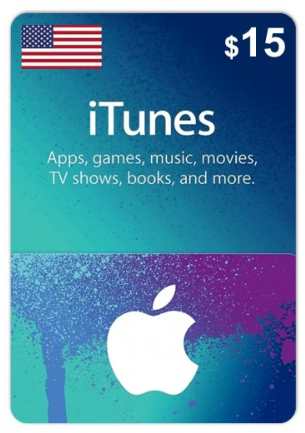
When we say US iTunes Card, we mean store credit specifically dedicated to the United States region. This means the code will only work if your Apple ID settings are set to "United States."
Important: Before buying, verify your account region: Settings > Your Name > Media & Purchases > View Account > Country/Region.
The US store offers a wider library of apps, games, and media that may not be available elsewhere. You can purchase these cards with confidence from our Prepaid Cards section.
Buying and Redeeming: Step-by-Step
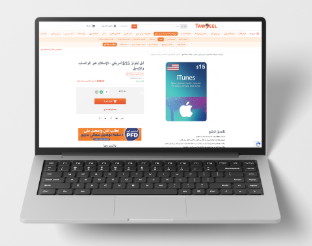
Start by visiting the Prepaid Cards section on Taw9eel. Select the value you need (whether for an iCloud subscription or a specific game). Once payment is complete, you will receive the code via Email and/or WhatsApp. Then, simply redeem it:
- On iPhone/iPad: Open App Store > Account Icon > "Redeem Gift Card or Code" > Paste the code.
- On Mac: Open App Store > Your Name (Sidebar) > "Redeem Gift Card".
Troubleshooting Common Errors
1. Region Conflict Error: A US code works only with a US account. The solution is to use a US Apple ID to redeem it, or purchase a card that matches your current account region.
2. "Code has already been redeemed": Ensure you haven't accidentally pasted extra spaces. If the error persists, check if the balance was added without you noticing, or contact Taw9eel support with a screenshot.
3. Security Issues: If you see "Account disabled for security reasons," you must reset your password or contact official Apple Support.
Best Practices
Once your credit is added, budget wisely. Allocate a portion for recurring subscriptions (like iCloud) and another for one-time purchases. To stay secure, never share your code publicly and keep your purchase receipt from Taw9eel as a reference.
Frequently Asked Questions (FAQ)
What is a US iTunes Card and does it work on any account?
It is credit dedicated solely to the US store. It will only work if your Apple ID region is set to "United States." If your account is set to Kuwait or another region, you will get a region conflict error.
Can I use a US iTunes Card in Kuwait?
Yes, physically being in Kuwait does not matter. What matters is that your digital Apple ID settings match the card's region (US).
How do I redeem the code on my device?
Go to the App Store, click your profile icon, select "Redeem Gift Card or Code," and paste the code you received from Taw9eel. The balance is added instantly.
I got an error: "Code cannot be redeemed in this region." What do I do?
This confirms a region mismatch. You must either create/use a US Apple ID to redeem this specific code, or buy a card that matches your current account's region.
Do iTunes codes expire?
Generally, unredeemed gift cards do not expire. However, it is best practice to redeem them soon after purchase. Once redeemed, the credit stays in your account indefinitely.
I want to change my Apple ID region. What happens to my credit?
You must spend your remaining balance and cancel active subscriptions before Apple allows you to switch regions. Even a few cents left in the account can prevent the switch.
How fast will I get the code from Taw9eel?
Delivery is digital and instant. You will receive the code via Email and/or WhatsApp immediately after a successful payment.