



iTunes Cards in Kuwait: Best Ways to Redeem and Use
If you are looking for iTunes cards in Kuwait, you are likely facing one of these scenarios: you want to fund a new Apple ID, you don't have an international credit card, or you bought a card before that didn't work.
These are not individual issues, but very common questions among Apple users in Kuwait. The main cause is often a lack of clarity regarding the account region, card type, and proper redemption methods. Our goal at Taw9eel is to simplify this process for you.
What are iTunes Cards and How Do They Work?
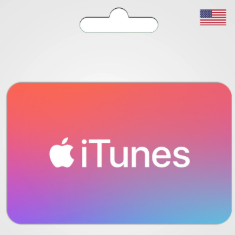
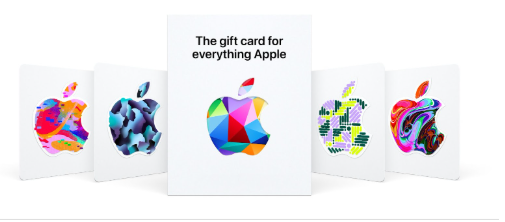
iTunes cards are digital prepaid cards used to add credit to your Apple ID. They allow you to purchase apps, games, subscriptions like Apple Music and Apple TV+, as well as iCloud storage and in-app purchases without linking a credit card.
Practically, the card contains a digital code that you enter into your account. This converts into a balance that is automatically deducted when you make any purchase. It is an ideal option for budget control, especially for families and children.
Before Buying: Check Your Account Region (Vital Step)
The most common mistake is ignoring the account Region. Apple uses a regional store system, meaning a US account requires a US iTunes Card, a Kuwaiti account requires a Kuwaiti card, and so on.
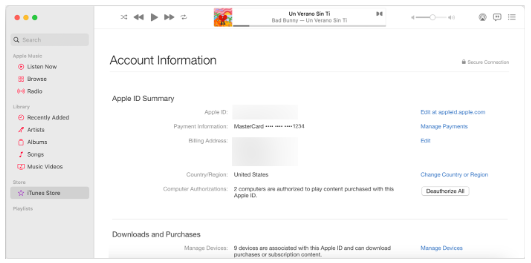
To know your account region:
- Go to Apple ID settings.
- Select Media & Purchases.
- Check the Country/Region field.
If your account is set to the US, always stick to buying US cards to avoid error messages.
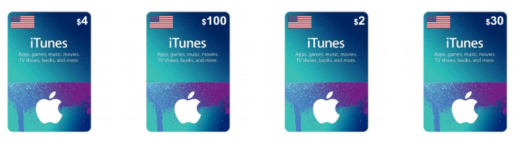
The Correct Way to Redeem and Use Credit
Once you've confirmed the region, open the App Store, select Redeem Gift Card, and enter the code. Once redeemed, the credit is used automatically for:
- Buying paid apps and games.
- Renewing monthly subscriptions like iCloud and Apple Music.
- In-app purchases.
Frequently Asked Questions (FAQ)
1) What are iTunes cards?
iTunes cards are digital prepaid cards that add credit to your Apple ID, allowing you to buy apps, games, subscriptions, and iCloud storage.
2) Do iTunes cards work in Kuwait?
Yes, they work, provided the card matches your Apple ID region. Your physical location matters less than your account's region setting.
3) How do I know my Apple ID region before buying?
Go to Apple ID settings > Media & Purchases > Country/Region. Based on what you see, choose a card from the same region (US, Saudi, etc.).
4) How do I redeem an iTunes card correctly?
Open the App Store or account settings, select "Redeem Gift Card or Code," and enter the code manually or scan it with your camera. The balance is added immediately.
5) Why do I get an error when entering the code?
The most common reason is a region mismatch between the card and the account. It can also happen due to typing errors (confusing O with 0) or if the code was already redeemed.
6) Where can I use my iTunes credit?
You can use it in the App Store for apps/games, for subscriptions like Apple Music and Apple TV+, iCloud storage, and in-app purchases.
7) Do I need a credit card to use iTunes cards?
No. iTunes cards are a practical alternative to credit cards, as they rely on prepaid balance within your Apple ID.